Consoles & computers
NES Palette
The Nintendo Entertainment System can show 54 different colors, but it never made them as RGB: its picture chip generated a TV signal directly, so every NES palette you’ll find, including this one, is an approximation. Here are all 54 with hex codes, how the NES used them, at most 25 on screen, and a free way to dither any image to NES colors.
- Colors
- 54
- Year
- 1983
- Hardware
- Ricoh 2C02 PPU
- Match
- By color
The 54 NES colors
The NES has no official RGB palette. These values follow the NTSC approximation in Wikipedia’s list of video game console palettes; emulators ship others, measured from hardware or tuned by eye.
Download:HEX file of NESGPL file of NES
- #59595F
- #00008F
- #18008F
- #3F0077
- #550055
- #550011
- #550000
- #442200
- #333300
- #113300
- #003311
- #004444
- #004466
- #000000
- #080808
- #AAAAAA
- #0044DD
- #5511EE
- #7700EE
- #9900BB
- #AA0055
- #993300
- #884400
- #666600
- #336600
- #006600
- #006655
- #005588
- #EEEEEE
- #4488FF
- #7777FF
- #9944FF
- #BB44EE
- #CC5599
- #DD6644
- #CC8800
- #BBAA00
- #77BB00
- #22BB22
- #22BB77
- #22BBCC
- #444444
- #99CCFF
- #AAAAFF
- #BB99FF
- #DD99FF
- #EE99DD
- #EEAAAA
- #EEBB99
- #EEDD88
- #BBDD88
- #99DD99
- #99DDBB
- #99DDEE
Why every NES palette is an approximation
Nintendo released the Famicom in Japan in 1983 and the NES in North America in 1985. Its picture processing unit, the Ricoh 2C02, doesn’t store colors as red, green and blue: each of its 64 palette entries is a hue and a brightness level that the chip turns straight into a composite video signal. Several entries repeat, like the blacks, which leaves about 54 distinct colors.
Because each TV decoded that signal its own way, the same game looked different from one set to the next, and there is no “correct” RGB version. That’s why emulators disagree, and why NES palettes online differ in their blues and greens.
How many colors could the NES show at once?
Palette memory holds 8 palettes of 4 entries: 4 for the background and 4 for sprites. The background palettes share one backdrop color, and the first entry of each sprite palette is transparent, so a screen holds at most 25 colors: 13 for the background and 12 for sprites.
Each 16 × 16 area of the background uses one palette, and each 8 × 8 or 8 × 16 sprite uses one. Artists worked around this by layering sprites and planning scenes in 16-pixel blocks. PixelSynth doesn’t apply these limits: it dithers with all 54 colors freely, which gives an NES style rather than a screen the console could draw.
How to make NES-style images
- Open the editor with the NES palette selected. It matches by color, picking the nearest of the 54.
- Shrink the image toward the NES resolution, 256 × 240, with Output size, or apply the pixel art preset and switch its palette to NES.
- Use an ordered dither like Bayer 4×4 for the tidy pattern of 8-bit art, or Floyd–Steinberg to keep a photo’s detail.
- Export at ×4 so every pixel stays a crisp block.
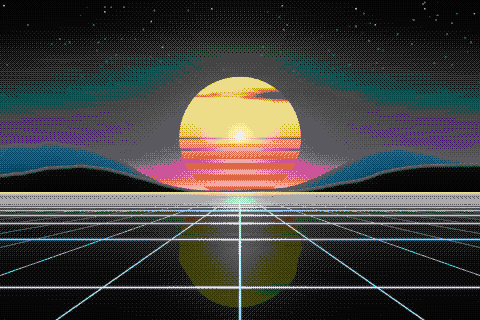
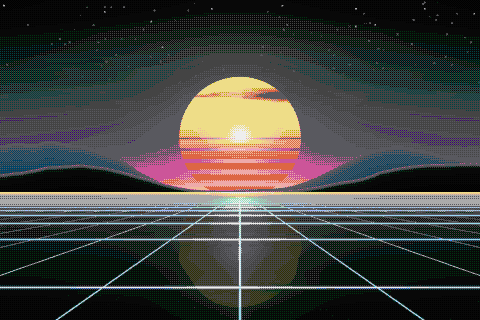
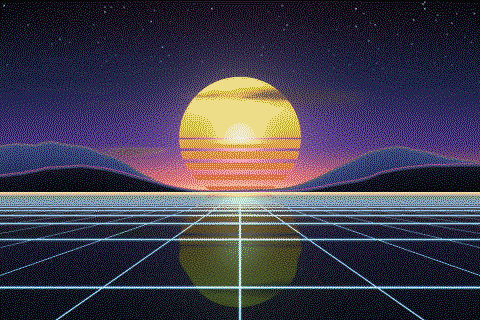
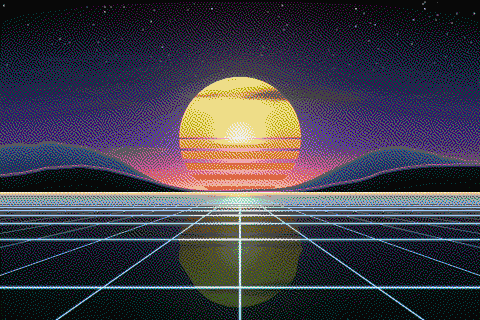
The NES palette with different dithering algorithms
The same sunset at 480 × 320 pixels, shown at actual size.
Try the NES palette on your image
Open the editor with NES already selected, drop in a photo or an animated GIF, pick a dithering algorithm and export a PNG or an animated GIF. Free, no account, no watermark, and your image never leaves your device.
Open NES in the editorNES palette FAQ
How many colors are in the NES palette?
64 entries, of which about 54 are distinct; the rest repeat black or gray. A single screen shows at most 25 of them.
Can I make images that run on a real NES?
Not directly. PixelSynth uses all 54 colors anywhere in the image, while the NES allows 4 per 16 × 16 background area and 25 per screen. The result is NES-style art, not a ready-to-use background.