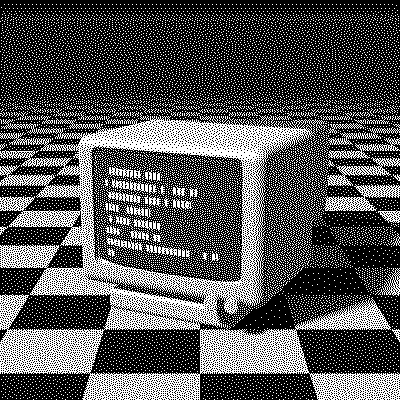
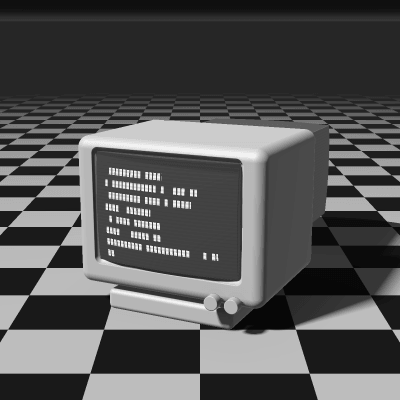
Sierra Lite Dithering
Sierra Lite, also known as Filter Lite, is the smallest filter in Frankie Sierra’s family and one of the cheapest error-diffusion algorithms there is. Each pixel’s error goes to just three neighbors, which makes it very fast while staying close to Floyd–Steinberg in look.
- Author
- Frankie Sierra
- Year
- 1990
- Complexity
- medium
How Sierra Lite dithering works
Each pixel is rounded to the nearest available color and its error is split into quarters: half goes to the next pixel on the row, and the other half is shared by two pixels on the row below.
With so few neighbors the error doesn’t travel far, so the texture is a little coarser and more directional than Floyd–Steinberg’s, with more visible worms in flat areas. In exchange, it’s the fastest error diffusion in PixelSynth, and at small output sizes, where each dot is large anyway, the difference is hard to see.
| Current pixel | 2/4 | |
| 1/4 | 1/4 |
- The error of the current pixel is spread over 3 neighbors that haven’t been processed yet.
- All of the error is carried forward.
- Rows are scanned in alternating directions (serpentine), which avoids diagonal streaks.
for each row y, top to bottom:
  # odd rows go right to left, mirroring dx
  for each x in the row:
    old = pixel[x][y]
    new = nearest_color(old)
    pixel[x][y] = new
    error = old - new
    pixel[x+1][y  ] += error * 2/4
    pixel[x-1][y+1] += error * 1/4
    pixel[x  ][y+1] += error * 1/4
When to use it (and when not to)
- Best for: quick previews, very large images and fast iteration.
- Works well with: low-resolution pixel art, where each dot is big, like the pixel art preset.
- Watch out for: more worms and directional streaks than larger filters such as Two-Row Sierra.
- In animation: Like every error diffusion, it flickers: a small change in one frame moves every later dot. For GIFs, Bayer 8×8 or Blue Noise keep their dots in place.
Sierra Lite vs other algorithms
The same terminal in 1-bit, center crop at actual size.
Sierra Lite 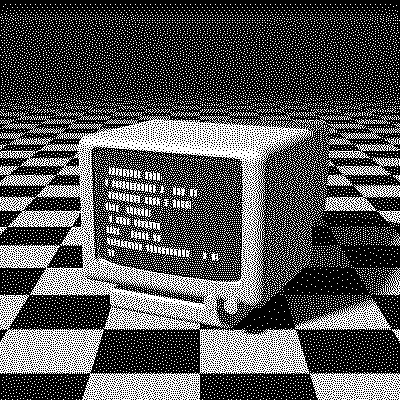
Floyd–Steinberg 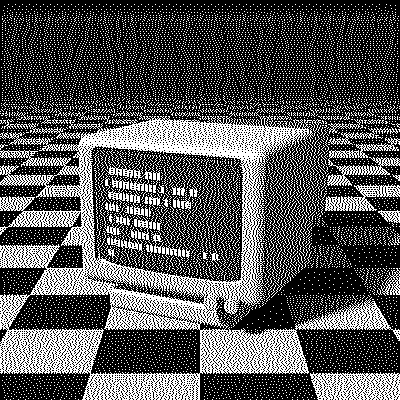
Two-Row Sierra 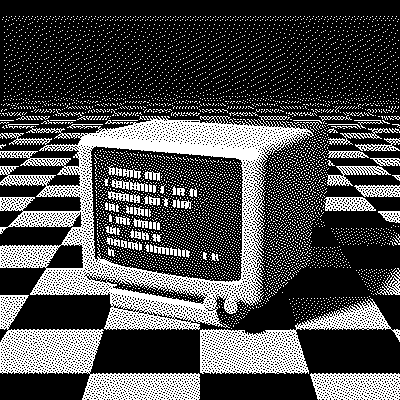
Atkinson
| Algorithm | Method | Animation | Look |
|---|---|---|---|
| Sierra Lite | Error to 3 neighbors (100% carried) | Flickers | Fast, slightly coarse |
| Floyd–Steinberg | Error to 4 neighbors (100% carried) | Flickers | Similar, a bit more even |
| Two-Row Sierra | Error to 7 neighbors (100% carried) | Flickers | Smoother, 7 neighbors |
| Atkinson | Error to 6 neighbors (75% carried) | Flickers | More contrast, clipped extremes |
Try Sierra Lite on your image
Open the editor with Sierra Lite already selected, drop in a photo or an animated GIF, adjust how much error travels with the Error diffusion slider, pick a palette and export the result. Free, no account, no watermark, and your image never leaves your device.
Open Sierra Lite in the editorSierra Lite FAQ
Is Sierra Lite as good as Floyd–Steinberg?
Close. Both use a tiny footprint; Floyd–Steinberg spreads its error over 4 neighbors instead of 3, which gives a slightly more even texture. Sierra Lite is a little faster.