12Ordered
Clustered Dot (Halftone Ordered) Dithering
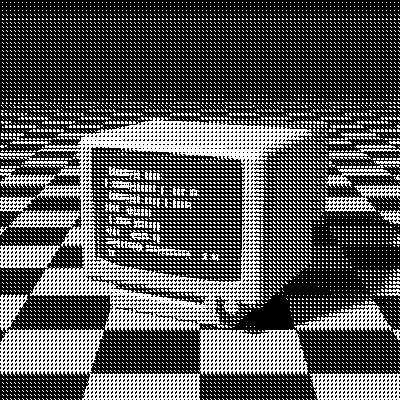
Clustered-dot dithering is an ordered dither whose threshold matrix grows dots from the center of each cell instead of scattering them. Tiled every 4 pixels, it mimics the halftone dots of offset printing, and it’s how many laser printers rendered gray in the 1980s: clustered dots survive toner and ink much better than isolated pixels.
- Author
- Various researchers
- Year
- 1980s
- Complexity
- low
How Clustered Dot dithering works
A 4×4 matrix of ranks 0 to 15 is tiled across the image, and each pixel is compared with the threshold at its position. Unlike Bayer, whose ranks jump across the cell, here consecutive ranks sit next to each other, so as the tone changes a single dot grows or shrinks in each cell, one pixel at a time.
That gives 17 levels, like Bayer 4×4, but at a lower effective resolution: each 4×4 cell holds one dot, so detail finer than the cell is lost. What you get in return is the solid, printed look of a halftone screen, and dots that hold up on paper.
| 14 | 10 | 11 | 15 |
| 9 | 4 | 5 | 12 |
| 8 | 3 | 0 | 6 |
| 13 | 7 | 2 | 1 |
- A 4×4 matrix of 16 ranks is tiled across the image; a pixel turns white when its brightness exceeds the threshold at its position.
- That gives 17 distinct gray levels, each reproduced by a fixed dot pattern.
M = 4×4 matrix of ranks 0…15
for each pixel (x, y):
  t = (M[y mod 4][x mod 4] + 0.5) / 16 * 255
  pixel = gray < t ? black : white
# with a palette, t shifts the color before nearest_color
When to use it (and when not to)
- Best for: newspaper, comic and print-inspired looks, and printing on paper.
- Works well with: Newsprint and Riso palettes.
- Watch out for: less detail than dispersed dithers; for an angled screen with adjustable size and dot shape, use Halftone.
- In animation: Very stable. Each pixel’s threshold depends only on its position, so areas that don’t move stay identical from frame to frame, with no shimmer.
Clustered Dot vs other algorithms
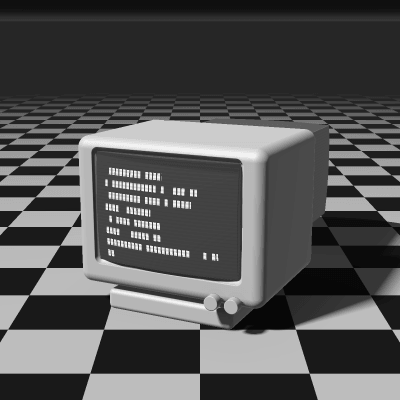
The same terminal in 1-bit, center crop at actual size.
Clustered Dot 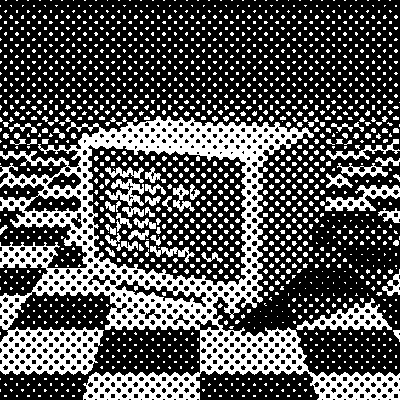
Halftone 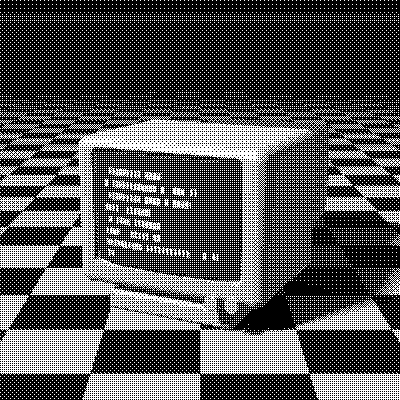
Bayer 4×4 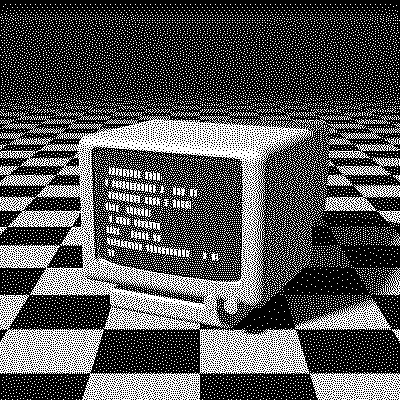
Floyd–Steinberg
| Algorithm | Method | Animation | Look |
|---|---|---|---|
| Clustered Dot | 4×4 threshold matrix | Stable | Dots on a fixed grid, print look |
| Halftone | Angled dot screen | Stable | Angled screen, adjustable size |
| Bayer 4×4 | 4×4 threshold matrix | Stable | Dispersed dots, more detail |
| Floyd–Steinberg | Error to 4 neighbors (100% carried) | Flickers | Organic, most detail |
Try Clustered Dot on your image
Open the editor with Clustered Dot already selected, drop in a photo or an animated GIF, choose the processing scale for the dot size, pick a palette and export the result. Free, no account, no watermark, and your image never leaves your device.
Open Clustered Dot in the editorClustered Dot FAQ
Clustered or dispersed dots?
Dispersed dithers like Bayer scatter single pixels for the most detail on screens. Clustered dots group them, which reads as a print and reproduces far better on paper, where lone pixels smear or vanish.