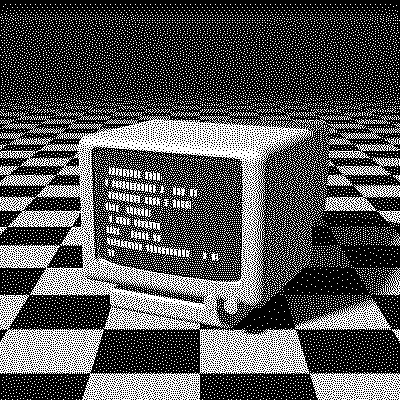
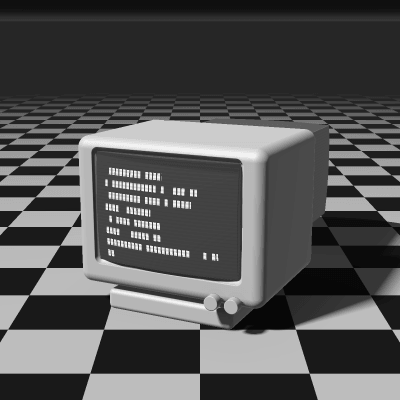
Floyd–Steinberg Dithering
Floyd–Steinberg is the most widely used error-diffusion dithering algorithm. Published by Robert W. Floyd and Louis Steinberg in 1976, it reduces a grayscale or color image to a few colors, even pure black and white, while keeping smooth gradients and fine detail. Drag the slider to compare, then try it on your own image; nothing is uploaded.
- Author
- Robert W. Floyd & Louis Steinberg
- Year
- 1976
- Complexity
- medium
How Floyd–Steinberg dithering works
The image is scanned pixel by pixel. Each pixel is rounded to the nearest available color, and the rounding error is passed on to four neighbors that haven’t been processed yet: 7/16 to the right, 3/16 below-left, 5/16 below and 1/16 below-right. Because all of the error is carried forward, the average brightness of every area is preserved: a 25% gray comes out as roughly one lit pixel in four.
The weights were chosen so that a flat 50% gray becomes a clean checkerboard. On the right-to-left rows of the serpentine scan, PixelSynth mirrors them.
| Current pixel | 7/16 | |
| 3/16 | 5/16 | 1/16 |
- The error of the current pixel is spread over 4 neighbors that haven’t been processed yet.
- All of the error is carried forward.
- Rows are scanned in alternating directions (serpentine), which avoids diagonal streaks.
for each row y, top to bottom:
  # odd rows go right to left, mirroring dx
  for each x in the row:
    old = pixel[x][y]
    new = nearest_color(old)
    pixel[x][y] = new
    error = old - new
    pixel[x+1][y  ] += error * 7/16
    pixel[x-1][y+1] += error * 3/16
    pixel[x  ][y+1] += error * 5/16
    pixel[x+1][y+1] += error * 1/16
When to use it (and when not to)
- Best for: photos, portraits and gradients where you want as much detail as possible from very few colors.
- Works well with: 1-bit output and small retro palettes like Game Boy, PICO-8 or NES.
- Watch out for: “worm” patterns, short chains of dots, in flat midtones and in areas close to white or black.
- In animation: Like every error diffusion, it flickers: a small change in one frame moves every later dot. For GIFs, Bayer 8×8 or Blue Noise keep their dots in place.
Floyd–Steinberg vs other algorithms
The same terminal in 1-bit, center crop at actual size.
Floyd–Steinberg 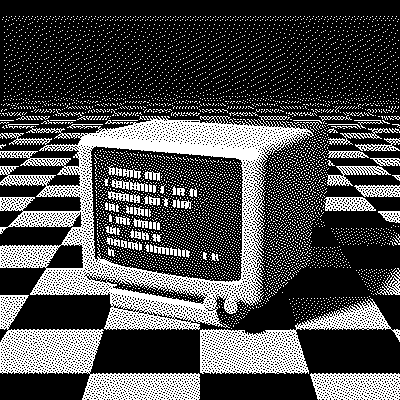
Atkinson 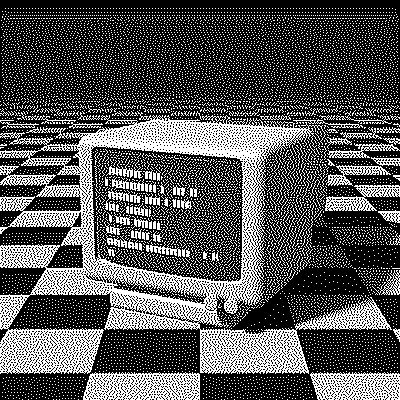
Jarvis–Judice–Ninke 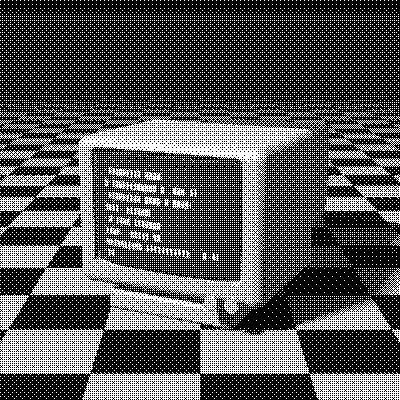
Bayer 8×8
| Algorithm | Method | Animation | Look |
|---|---|---|---|
| Floyd–Steinberg | Error to 4 neighbors (100% carried) | Flickers | Smooth, detailed, balanced |
| Atkinson | Error to 6 neighbors (75% carried) | Flickers | Higher contrast, classic Mac look, loses shadow detail |
| Jarvis–Judice–Ninke | Error to 12 neighbors (100% carried) | Flickers | Smoother, fewer worms, slower |
| Bayer 8×8 | 8×8 threshold matrix | Stable | Visible grid pattern, stable in animation |
Try Floyd–Steinberg on your image
Open the editor with Floyd–Steinberg already selected, drop in a photo or an animated GIF, adjust how much error travels with the Error diffusion slider, pick a palette and export the result. Free, no account, no watermark, and your image never leaves your device.
Open Floyd–Steinberg in the editorFloyd–Steinberg FAQ
Is Floyd–Steinberg the best dithering algorithm?
It’s the best all-rounder for still images. Atkinson gives more contrast, Jarvis–Judice–Ninke smoother gradients, and Bayer or Blue Noise are better for animation.
Can I use Floyd–Steinberg with color palettes?
Yes. With a palette matched by color, Floyd–Steinberg works on the red, green and blue channels, so it handles any palette, from Game Boy greens to the NES colors. Matched by brightness, it dithers along the palette’s dark-to-light ramp instead.
How do I get rid of worm patterns?
Lower the Error diffusion slider in the editor so less error travels from pixel to pixel, add a touch of noise in the filters, or switch to an algorithm with a wider spread such as Stucki.