
Print & photo
Cyanotype Palette
A cyanotype is a photograph printed in Prussian blue by sunlight, and it’s where the word blueprint comes from. This palette has four tones, from deep blue to paper white. Below are the hex codes, how the process works, and a free way to turn any image into a cyanotype-style dither in your browser.
- Colors
- 4
- Year
- 1842
- Process
- Iron salts and sunlight
- Match
- By brightness
The 4 Cyanotype colors
There is no standard cyanotype color: the blue depends on the paper, the exposure and the wash. These four tones, chosen for this palette, follow the range of a typical print, from fully exposed areas to bare paper.
| Swatch | Name | Hex | RGB |
|---|---|---|---|
| Deep Prussian blue | #0E2A47 | 14, 42, 71 | |
| Prussian blue | #1F4E79 | 31, 78, 121 | |
| Faded blue | #6F9FC8 | 111, 159, 200 | |
| Paper | #E8EEF2 | 232, 238, 242 |
Herschel’s blue prints
The astronomer Sir John Herschel discovered the process in 1842. Paper is coated with ferric ammonium citrate and potassium ferricyanide, dried in the dark and exposed to sunlight under a negative or an object. Where light hits, the iron salts turn into insoluble Prussian blue; rinsing in water washes away the rest and leaves white paper.
In 1843 the botanist Anna Atkins used it for Photographs of British Algae: Cyanotype Impressions, laying seaweed straight on the paper; it is considered the first book illustrated with photographs. Later in the century engineers and architects copied drawings the same way, white lines on blue, and the blueprint was born.
Dithering a cyanotype look
A real cyanotype is continuous tone, but its single blue makes it a natural fit for a short brightness palette: four tones of one hue read as one ink on paper, and dithering fills in the steps between them.
PixelSynth matches this palette by brightness, so the darkest parts of the image become the deepest blue and highlights fall back to paper, whatever their original color. Soft algorithms like Atkinson keep the airy, washed-out highlights of a sun print.
How to make Cyanotype-style images
- Open the editor with the Cyanotype palette selected. It matches by brightness.
- Pick Atkinson for bright, open highlights or Floyd–Steinberg to keep more detail.
- Lower the white point to push more of the image toward deep blue, and save the PNG at ×2 or larger.
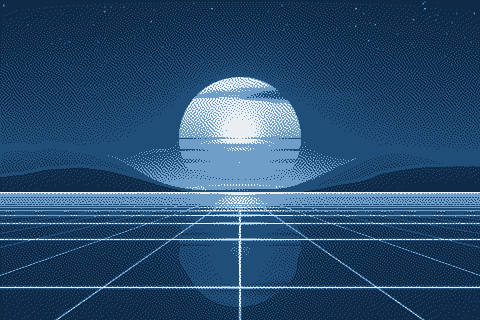
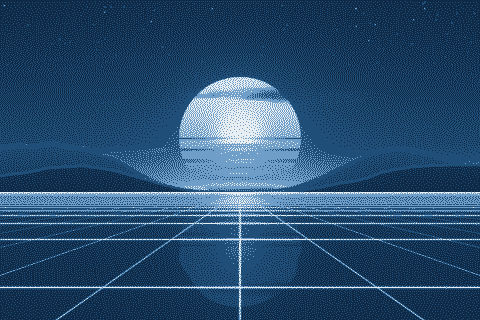
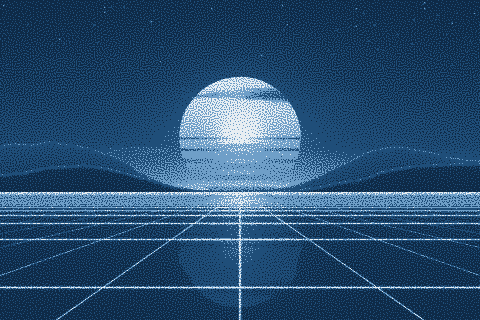
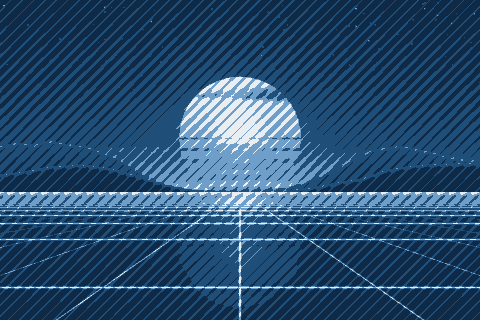
The Cyanotype palette with different dithering algorithms
The same sunset at 480 × 320 pixels, shown at actual size.
Try the Cyanotype palette on your image
Open the editor with Cyanotype already selected, drop in a photo or an animated GIF, pick a dithering algorithm and export a PNG or an animated GIF. Free, no account, no watermark, and your image never leaves your device.
Open Cyanotype in the editorCyanotype palette FAQ
Can I use the result to make a real cyanotype?
As a reference, yes. To print one, you need a negative: invert a grayscale or 1-bit version of the image, print it on transparency film and expose the coated paper through it.
Why is it called a blueprint?
Engineers copied technical drawings with the cyanotype process from the late 19th century on, which gave white lines on a blue ground. The name stuck even after other copying methods replaced it.