11Ordered
Bayer 8×8 Dithering
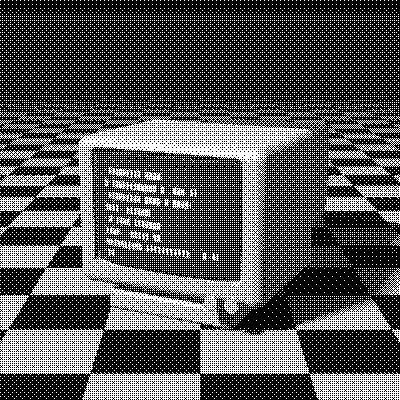
Bayer 8×8 is the largest Bayer matrix in PixelSynth: 64 thresholds tiled every 8 pixels, from Bryce Bayer’s 1973 method. It renders 65 gray levels, so gradients look smooth while keeping the tidy, regular texture of ordered dithering, and it stays perfectly stable from frame to frame.
- Author
- Bryce Bayer
- Year
- 1973
- Complexity
- low
How Bayer 8×8 dithering works
The 8×8 matrix holds the ranks 0 to 63, built by nesting the 2×2 pattern inside itself twice. Each pixel is compared with the threshold at its position in the tile: brighter pixels turn white, darker ones black. Nothing is carried between pixels.
Every level lights the pixel farthest from those already lit, so dots are spread as evenly as the grid allows. With 64 thresholds the steps between levels are small enough for smooth gradients, and the cross-hatch is fine enough to recede on most images.
| 0 | 32 | 8 | 40 | 2 | 34 | 10 | 42 |
| 48 | 16 | 56 | 24 | 50 | 18 | 58 | 26 |
| 12 | 44 | 4 | 36 | 14 | 46 | 6 | 38 |
| 60 | 28 | 52 | 20 | 62 | 30 | 54 | 22 |
| 3 | 35 | 11 | 43 | 1 | 33 | 9 | 41 |
| 51 | 19 | 59 | 27 | 49 | 17 | 57 | 25 |
| 15 | 47 | 7 | 39 | 13 | 45 | 5 | 37 |
| 63 | 31 | 55 | 23 | 61 | 29 | 53 | 21 |
- A 8×8 matrix of 64 ranks is tiled across the image; a pixel turns white when its brightness exceeds the threshold at its position.
- That gives 65 distinct gray levels, each reproduced by a fixed dot pattern.
M = 8×8 matrix of ranks 0…63
for each pixel (x, y):
  t = (M[y mod 8][x mod 8] + 0.5) / 64 * 255
  pixel = gray < t ? black : white
# with a palette, t shifts the color before nearest_color
When to use it (and when not to)
- Best for: smooth gradients with an ordered look, animations, and large images where speed matters.
- Works well with: 1-bit, Grayscale 4 and any retro palette.
- Watch out for: the cross-hatch still shows in flat midtones, and photos look more mechanical than with error diffusion.
- In animation: Very stable. Each pixel’s threshold depends only on its position, so areas that don’t move stay identical from frame to frame, with no shimmer.
Bayer 8×8 vs other algorithms
The same terminal in 1-bit, center crop at actual size.
Bayer 8×8 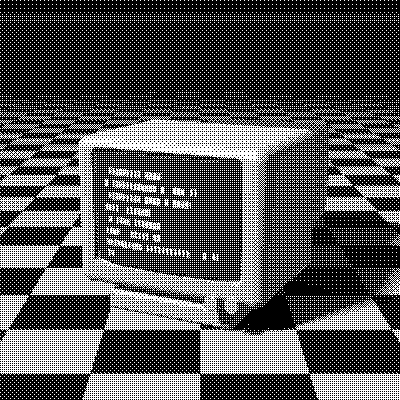
Bayer 4×4 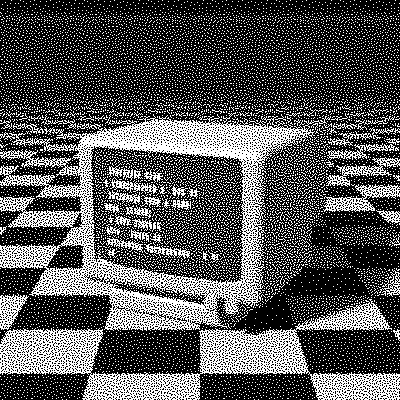
Blue Noise 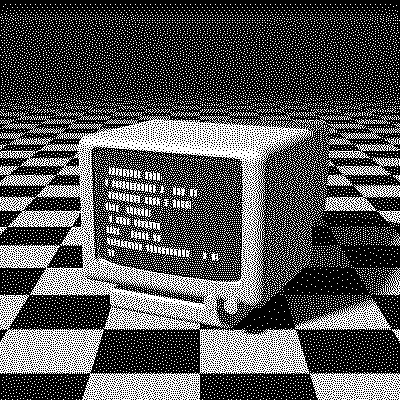
Floyd–Steinberg
| Algorithm | Method | Animation | Look |
|---|---|---|---|
| Bayer 8×8 | 8×8 threshold matrix | Stable | Fine cross-hatch, 65 levels |
| Bayer 4×4 | 4×4 threshold matrix | Stable | Coarser, 17 levels |
| Blue Noise | 64×64 threshold matrix | Stable | Grain instead of grid |
| Floyd–Steinberg | Error to 4 neighbors (100% carried) | Flickers | Organic, flickers in animation |
Try Bayer 8×8 on your image
Open the editor with Bayer 8×8 already selected, drop in a photo or an animated GIF, choose the processing scale for the dot size, pick a palette and export the result. Free, no account, no watermark, and your image never leaves your device.
Open Bayer 8×8 in the editorBayer 8×8 FAQ
Why not use an even bigger Bayer matrix?
Past 64 thresholds the gain in smoothness is small, while the pattern becomes a larger tile. For a fine texture without any grid, try Blue Noise, which uses a 64×64 mask with no regular structure.