Online dithering & pixel art converterSmooth in.Dither out.
Turn photos and animated GIFs into 1-bit, halftone or pixel art for album covers, game sprites, posters and laser engraving. Every pixel is processed on your device.
No account · No watermark · No upload
- Load
- Tune
- Export
- Algorithms
- 17
- Palettes
- 17
- Uploads
- 0
- PNG export
- ×1 to ×8
- Animated GIF
- Up to 300 frames
- Opens
- PNG, JPEG, WebP, GIF, AVIF, BMP
17 dithering algorithms, four families
The same terminal through one algorithm from each family. Every algorithm has its own page with a before and after.
Error diffusion
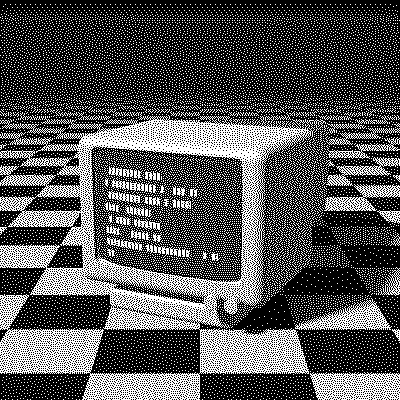 Floyd–Steinberg
Robert W. Floyd & Louis Steinberg · 1976
Ordered
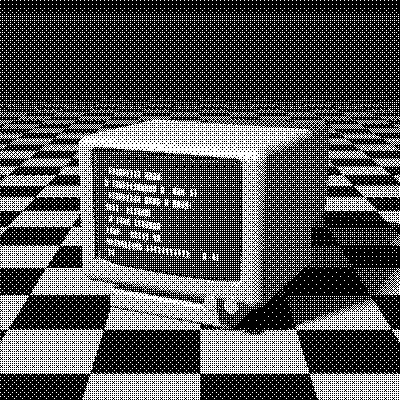 Bayer 8×8
Bryce Bayer · 1973
Noise-based
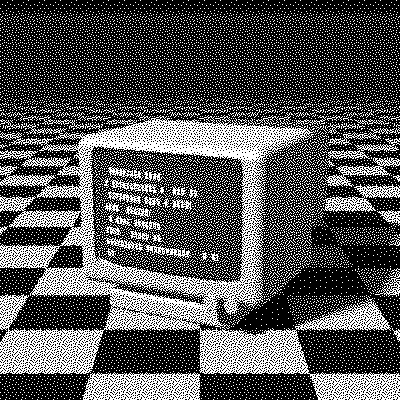 Void-and-Cluster
Robert Ulichney · 1993
Halftone screen
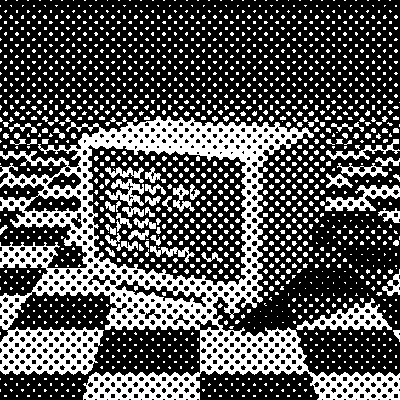 Halftone
Frederic Ives · 1880s
Retro palettes: Game Boy, NES, PICO-8, CGA
Dither straight to the colors of a console, a print process or your own image. Each palette matches by color or by brightness.
Game Boy
4 colorsMatches by brightness
NES
54 colorsMatches by color
PICO-8
16 colorsMatches by color
CGA cyan/magenta
4 colorsMatches by color
Commodore 64
16 colorsMatches by color
Riso pink & blue
4 colorsMatches by brightness
Cyanotype
4 colorsMatches by brightness
Your colors
2–64 colorsFrom your image or by hand
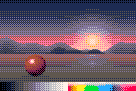
Photo to pixel art in one click
The pixel art preset shrinks any image to about 128 × 96 pixels’ worth of detail, whatever its shape, snaps it to PICO-8 with a 2×2 Bayer pattern and exports crisp at ×4 or ×8. For sprites and game assets, save at ×1: dithered images export as indexed PNGs.
Try the pixel art presetDither animated GIFs
Open a GIF and every frame is dithered with one shared palette, so colors hold still from frame to frame. Up to 300 frames, exported as a GIF that loops like the original. Ordered patterns like Bayer and Blue Noise stay put between frames, so the animation doesn’t shimmer.
Open the animated sample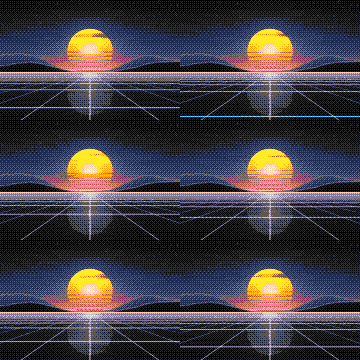
Frequently asked questions
What is dithering?
A way to show more tones than a palette has by arranging its colors in patterns of dots, so the eye blends them.
Is it free and private?
Yes. No account, no watermark, no usage limits, and every pixel is processed in your browser: your images never leave your device. The anonymous page-view counter never sees them. If it’s useful to you, you can support it on Ko-fi (opens in a new tab).
Which algorithm should I use?
Floyd–Steinberg for detail, Atkinson for crisp retro highlights, Bayer for a regular pattern, Blue Noise for a smooth grain.
How do I make Game Boy style images?
Choose the Game Boy palette, or apply the pixel art preset and switch its palette to Game Boy.
Can I use my own palette, like one from Lospec?
Yes. Choose the Custom palette and press Import: paste hex codes, or open a palette file downloaded from Lospec (HEX, GPL, PAL or Paint.NET TXT). It takes 2 to 64 colors.
Can I use it for album covers, posters or social posts?
Yes. Export PNGs up to ×8, enlarged without smoothing, so the dots stay crisp at any size. In 1-bit mode, give the dots up to three colors and make the background transparent to lay the dither over other artwork.
Can I use it for laser engraving?
Yes. Stay in 1-bit, pick Atkinson or Floyd–Steinberg, set the output size to the width in pixels your engraving needs (up to the image’s own width) and save the PNG at ×1. The file carries no DPI, so set the physical size in your laser software, and turn off its own dithering.
Load an image. Pick an algorithm. Export.