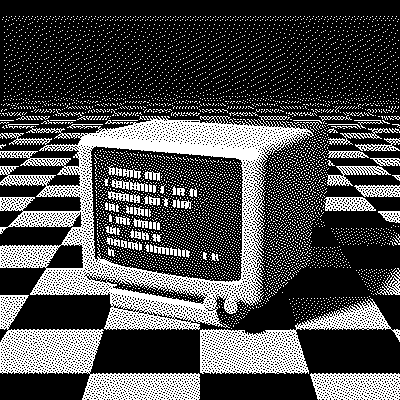
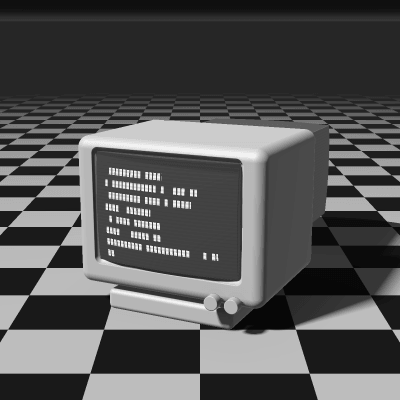
Atkinson Dithering
Atkinson dithering was written by Bill Atkinson at Apple for the original Macintosh in 1984, and it gave MacPaint and early Mac software their signature look. It diffuses only three quarters of each pixel’s error, so highlights and shadows clip to clean white and black while midtones keep a crisp, stippled texture.
- Author
- Bill Atkinson (Apple)
- Year
- 1984
- Complexity
- medium
How Atkinson dithering works
Each pixel is rounded to the nearest available color and 1/8 of its error goes to each of six neighbors: two to the right, three on the row below and one two rows down. That hands out 6/8 of the error; the remaining quarter is simply dropped.
Dropping error means that near-black areas never build up enough brightness to place a white dot, and near-white areas never collect enough darkness for a black one. Small errors vanish instead of spreading, so the image gains contrast and clean flat areas, at the cost of detail in deep shadows and bright highlights.
| Current pixel | 1/8 | 1/8 | |
| 1/8 | 1/8 | 1/8 | |
| 1/8 |
- The error of the current pixel is spread over 6 neighbors that haven’t been processed yet.
- Only 6/8 of the error is carried forward — the rest is dropped, which keeps highlights and shadows crisp.
- Every row is scanned left to right.
for each row y, top to bottom:
  for each x, left to right:
    old = pixel[x][y]
    new = nearest_color(old)
    pixel[x][y] = new
    error = old - new
    pixel[x+1][y  ] += error * 1/8
    pixel[x+2][y  ] += error * 1/8
    pixel[x-1][y+1] += error * 1/8
    pixel[x  ][y+1] += error * 1/8
    pixel[x+1][y+1] += error * 1/8
    pixel[x  ][y+2] += error * 1/8
When to use it (and when not to)
- Best for: high-contrast images, line art, screenshots, well-lit faces and a retro Mac look.
- Works well with: 1-bit output, laser engraving and small palettes.
- Watch out for: lost detail in shadows and highlights; dark photos can turn solid black, so brighten them or raise the gamma first.
- In animation: Like every error diffusion, it flickers: a small change in one frame moves every later dot. For GIFs, Bayer 8×8 or Blue Noise keep their dots in place.
Atkinson vs other algorithms
The same terminal in 1-bit, center crop at actual size.
Atkinson 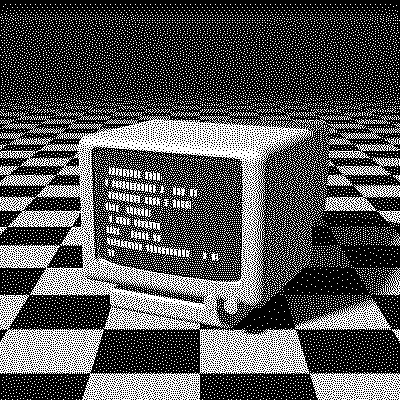
Floyd–Steinberg 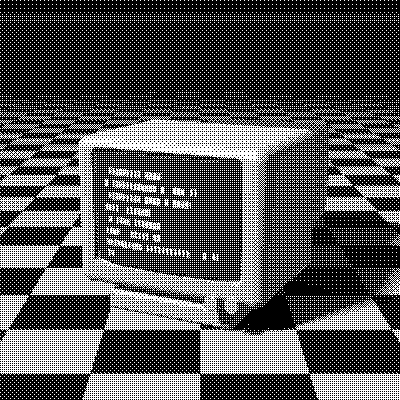
Bayer 4×4 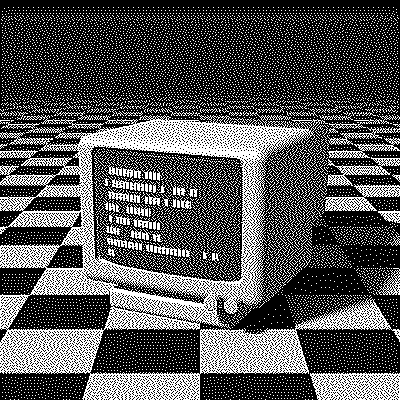
Stucki
| Algorithm | Method | Animation | Look |
|---|---|---|---|
| Atkinson | Error to 6 neighbors (75% carried) | Flickers | Crisp, high contrast, clipped extremes |
| Floyd–Steinberg | Error to 4 neighbors (100% carried) | Flickers | Full tonal range, softer |
| Bayer 4×4 | 4×4 threshold matrix | Stable | Regular grid, retro game look |
| Stucki | Error to 12 neighbors (100% carried) | Flickers | Smooth and detailed |
Try Atkinson on your image
Open the editor with Atkinson already selected, drop in a photo or an animated GIF, adjust how much error travels with the Error diffusion slider, pick a palette and export the result. Free, no account, no watermark, and your image never leaves your device.
Open Atkinson in the editorAtkinson FAQ
Why is Atkinson dithering called the Mac look?
Bill Atkinson wrote it for the original 1984 Macintosh, whose screen could show only black and white. MacPaint, HyperCard and countless early Mac images were dithered with it, so its crisp stipple became the look of the era.
Is Atkinson good for laser engraving?
Yes. Its clean, separated dots and solid blacks and whites engrave well. Stay in 1-bit, set the output width your engraver needs and save the PNG at ×1.