
Consoles & computers
EGA Palette
IBM’s Enhanced Graphics Adapter (EGA), from 1984, brought 16-color graphics to the PC. Its default 16 colors, the same as the colors of the DOS text screen, are the palette of many mid-1980s PC games. Here they are with names and hex codes, how the EGA picked them from 64, and a free way to dither images to them.
- Colors
- 16
- Year
- 1984
- Hardware
- IBM Enhanced Graphics Adapter
- Match
- By color
The 16 EGA colors
Values are exact: the EGA has 4 levels per channel, #00, #55, #AA and #FF, and these are its 16 default slots, listed in order, 0 to 15.
Download:HEX file of EGAGPL file of EGA
| Swatch | Name | Hex | RGB |
|---|---|---|---|
| Black | #000000 | 0, 0, 0 | |
| Blue | #0000AA | 0, 0, 170 | |
| Green | #00AA00 | 0, 170, 0 | |
| Cyan | #00AAAA | 0, 170, 170 | |
| Red | #AA0000 | 170, 0, 0 | |
| Magenta | #AA00AA | 170, 0, 170 | |
| Brown | #AA5500 | 170, 85, 0 | |
| Light gray | #AAAAAA | 170, 170, 170 | |
| Dark gray | #555555 | 85, 85, 85 | |
| Light blue | #5555FF | 85, 85, 255 | |
| Light green | #55FF55 | 85, 255, 85 | |
| Light cyan | #55FFFF | 85, 255, 255 | |
| Light red | #FF5555 | 255, 85, 85 | |
| Light magenta | #FF55FF | 255, 85, 255 | |
| Yellow | #FFFF55 | 255, 255, 85 | |
| White | #FFFFFF | 255, 255, 255 |
16 colors out of 64
IBM introduced the EGA in October 1984, between CGA and the 1987 VGA. It shows 16 colors at once, at up to 640 × 350 pixels with its memory expansion, chosen from a gamut of 64: each of red, green and blue has 2 bits, so 4 levels.
By default the 16 slots hold CGA’s RGBI colors, including the brown (#AA5500) of CGA monitors, so software written for CGA looks the same. Programs could fill the slots with any of the 64 colors in the 350-line modes, but in the 200-line modes most games used, the EGA drives its monitor as a CGA one, and only the 16 defaults are available.
The look of EGA games
Early EGA support came in games like The Ancient Art of War (1984) and King’s Quest III (1986), and by the early 1990s most PC software could run in EGA, often at 320 × 200 for compatibility. Commander Keen is one of the best-known EGA games.
With a fixed set of bright, saturated colors, EGA artists used dither patterns to fake the tones in between: skin, skies and shadows are often checkerboards of two colors. Ordered dithering reproduces that look closely.
How to make EGA-style images
- Open the editor with the EGA palette selected. It matches by color.
- Set Output size to 320 pixels, the resolution of most EGA games.
- Use Bayer 4×4 or Bayer 2×2 for EGA-style checkerboards, or Floyd–Steinberg for photos.
- Export at ×2 or ×4.
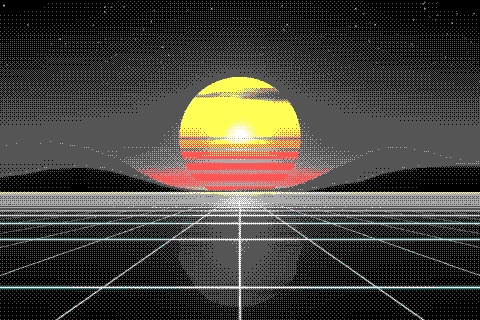
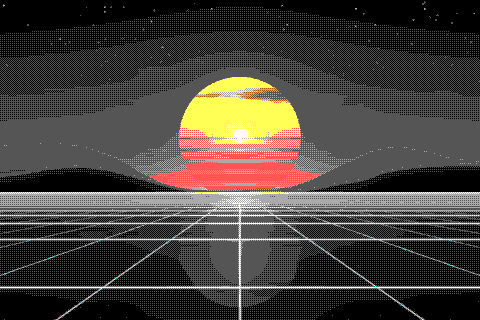
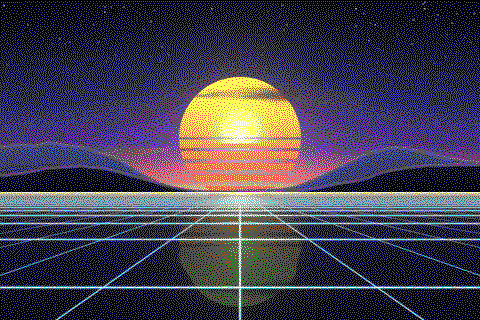
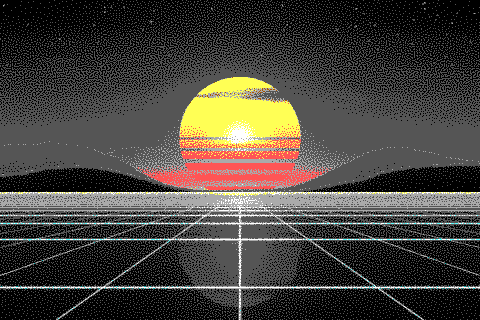
The EGA palette with different dithering algorithms
The same sunset at 480 × 320 pixels, shown at actual size.
Try the EGA palette on your image
Open the editor with EGA already selected, drop in a photo or an animated GIF, pick a dithering algorithm and export a PNG or an animated GIF. Free, no account, no watermark, and your image never leaves your device.
Open EGA in the editorEGA palette FAQ
How many colors does EGA have?
16 at once, from a gamut of 64. The 16 defaults are the CGA text colors, and in 200-line modes they are the only ones available.
What’s the difference between EGA and VGA?
VGA (1987) added a 320 × 200 mode with 256 colors on screen, chosen from 262,144. EGA’s 16 colors are also VGA’s default text colors.