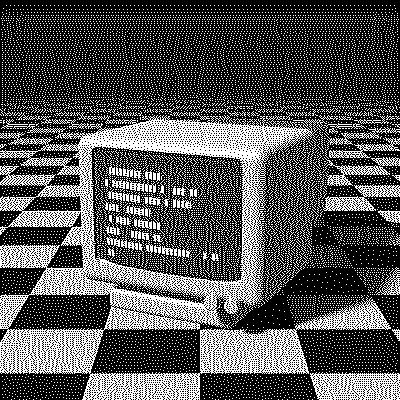
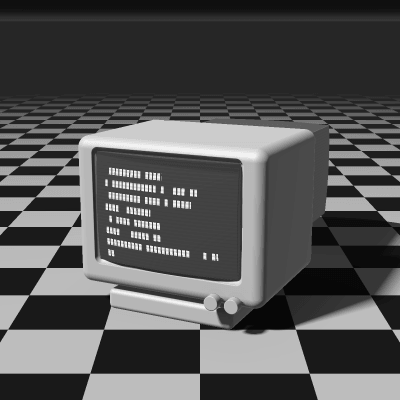
Burkes Dithering
Burkes is an error-diffusion algorithm by Daniel Burkes, shared in 1988 as a simplification of Stucki. It keeps Stucki’s first two rows of weights and drops the third, so each pixel’s error reaches 7 neighbors instead of 12. The result looks nearly the same as Stucki and renders noticeably faster.
- Author
- Daniel Burkes
- Year
- 1988
- Complexity
- medium
How Burkes dithering works
Each pixel is rounded to the nearest available color and the error is split into 32nds: 8 and 4 go to the next two pixels on the same row, and 2, 4, 8, 4, 2 to the five pixels below, over two rows only.
Dividing by 32 is a single bit shift, which Stucki’s 42 is not, and only one row ahead has to be kept in memory. Dropping the third row makes the texture slightly less smooth than Stucki’s in large gradients, but on most images the two are hard to tell apart.
| Current pixel | 8/32 | 4/32 | ||
| 2/32 | 4/32 | 8/32 | 4/32 | 2/32 |
- The error of the current pixel is spread over 7 neighbors that haven’t been processed yet.
- All of the error is carried forward.
- Rows are scanned in alternating directions (serpentine), which avoids diagonal streaks.
for each row y, top to bottom:
  # odd rows go right to left, mirroring dx
  for each x in the row:
    old = pixel[x][y]
    new = nearest_color(old)
    pixel[x][y] = new
    error = old - new
    pixel[x+1][y  ] += error * 8/32
    pixel[x+2][y  ] += error * 4/32
    pixel[x-2][y+1] += error * 2/32
    pixel[x-1][y+1] += error * 4/32
    pixel[x  ][y+1] += error * 8/32
    pixel[x+1][y+1] += error * 4/32
    pixel[x+2][y+1] += error * 2/32
When to use it (and when not to)
- Best for: large images and quick iteration, when you want Stucki-like quality.
- Works well with: 1-bit, grayscale and retro palettes like Game Boy, PICO-8 or NES.
- Watch out for: slightly more structure than Stucki or JJN in wide, smooth gradients.
- In animation: Like every error diffusion, it flickers: a small change in one frame moves every later dot. For GIFs, Bayer 8×8 or Blue Noise keep their dots in place.
Burkes vs other algorithms
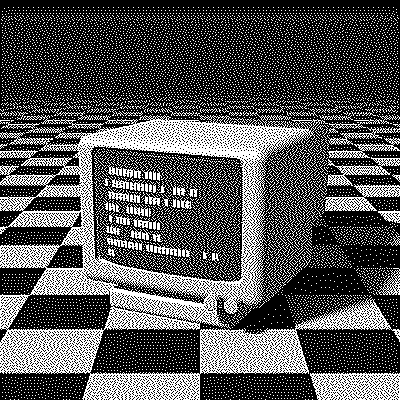
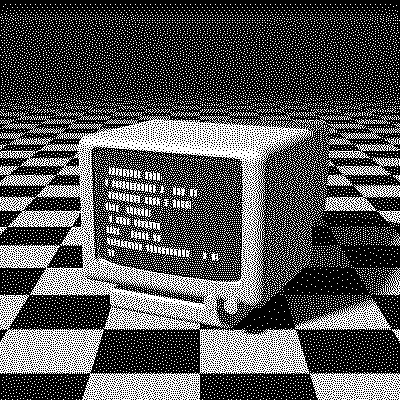
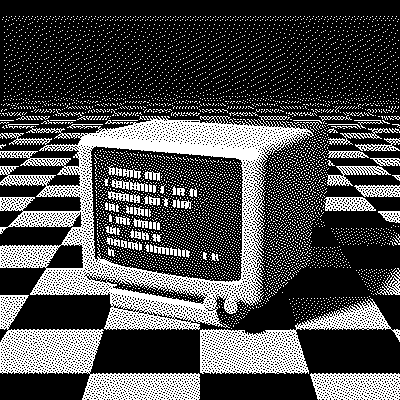
The same terminal in 1-bit, center crop at actual size.
| Algorithm | Method | Animation | Look |
|---|---|---|---|
| Burkes | Error to 7 neighbors (100% carried) | Flickers | Crisp, balanced, efficient |
| Stucki | Error to 12 neighbors (100% carried) | Flickers | Marginally smoother, slower |
| Floyd–Steinberg | Error to 4 neighbors (100% carried) | Flickers | 4 neighbors, more worms |
| Atkinson | Error to 6 neighbors (75% carried) | Flickers | Only 3/4 of the error, more contrast |
Try Burkes on your image
Open the editor with Burkes already selected, drop in a photo or an animated GIF, adjust how much error travels with the Error diffusion slider, pick a palette and export the result. Free, no account, no watermark, and your image never leaves your device.
Open Burkes in the editorBurkes FAQ
When should I pick Burkes over Floyd–Steinberg?
When Floyd–Steinberg shows worms in smooth areas. Burkes spreads the error wider, over 7 neighbors on two rows, for a more even texture, while staying cheaper than Stucki or JJN.