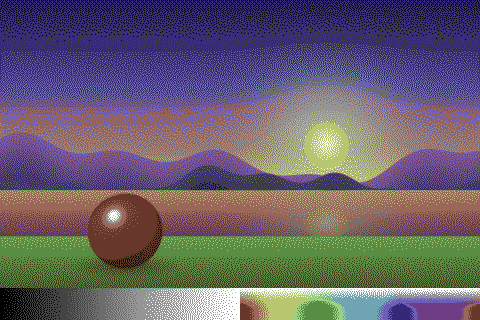
Consoles & computers
Commodore 64 Palette
The Commodore 64 has 16 fixed colors from its VIC-II video chip, and they are among the most distinctive of the 8-bit era: muted, earthy and pastel rather than bright. Here are all 16 with their names and hex codes in the Pepto calibration widely used by emulators, how the C64’s graphics modes limited them, and a free way to dither any image to them.
- Colors
- 16
- Year
- 1982
- Hardware
- MOS Technology VIC-II
- Match
- By color
The 16 Commodore 64 colors
The VIC-II made its colors as a video signal, so there are no official RGB values. These are Philip “Pepto” Timmermann’s measured Pepto palette, widely adopted by emulators; his later Colodore model refines it. They are listed in the C64’s own order, colors 0 to 15.
| Swatch | Name | Hex | RGB |
|---|---|---|---|
| Black | #000000 | 0, 0, 0 | |
| White | #FFFFFF | 255, 255, 255 | |
| Red | #68372B | 104, 55, 43 | |
| Cyan | #70A4B2 | 112, 164, 178 | |
| Purple | #6F3D86 | 111, 61, 134 | |
| Green | #588D43 | 88, 141, 67 | |
| Blue | #352879 | 53, 40, 121 | |
| Yellow | #B8C76F | 184, 199, 111 | |
| Orange | #6F4F25 | 111, 79, 37 | |
| Brown | #433900 | 67, 57, 0 | |
| Light red | #9A6759 | 154, 103, 89 | |
| Dark gray | #444444 | 68, 68, 68 | |
| Gray | #6C6C6C | 108, 108, 108 | |
| Light green | #9AD284 | 154, 210, 132 | |
| Light blue | #6C5EB5 | 108, 94, 181 | |
| Light gray | #959595 | 149, 149, 149 |
Where the C64 colors come from
Commodore launched the C64 in 1982, and it became one of the best-selling computers of all time. Its MOS Technology VIC-II chip builds each of its 16 colors from a hue and a brightness level and sends them to the TV as a video signal. Like the NES, then, the C64 has no RGB palette of its own.
That’s why C64 palettes online differ. Philip “Pepto” Timmermann measured the chip’s output and published the values used here, which many emulators adopted as their default. The palette has a few saturated colors and many muted ones at similar brightness, which gives C64 art its soft, earthy feel.
Graphics modes and color limits
In hi-res bitmap mode the screen is 320 × 200 pixels and each 8 × 8 cell can use 2 of the 16 colors. Multicolor mode halves the horizontal resolution to 160 × 200, with double-wide pixels, and each 4 × 8 cell can use 4 colors, one of them a background shared by the whole screen. Eight hardware sprites add moving objects on top.
Within those limits, C64 artists leaned on dithering and on pairing colors of similar brightness, so blends looked smooth. PixelSynth matches by color and doesn’t enforce the cell limits, so the result has the C64 palette without its clash.
How to make Commodore 64-style images
- Open the editor with the Commodore 64 palette selected. It matches by color.
- Set Output size to 320 pixels, the C64’s hi-res width.
- Try Bayer 4×4 or Bayer 8×8 for the ordered patterns of demoscene art, or Floyd–Steinberg for photos.
- Export at ×2 or ×4 to keep the pixels sharp.
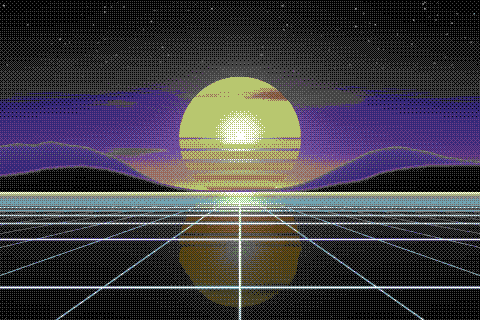
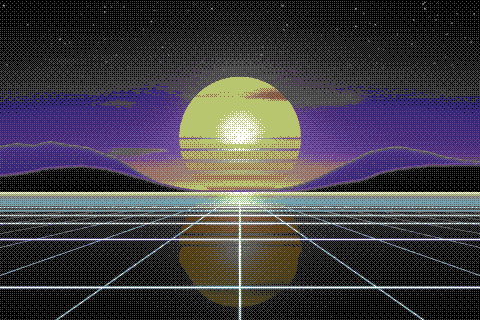
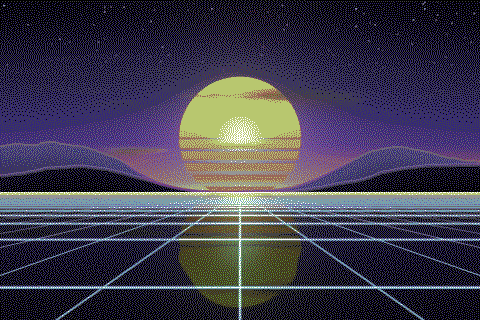
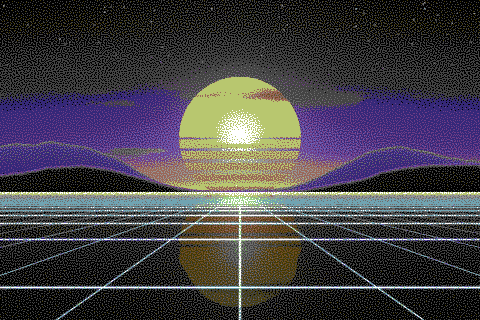
The Commodore 64 palette with different dithering algorithms
The same sunset at 480 × 320 pixels, shown at actual size.
Try the Commodore 64 palette on your image
Open the editor with Commodore 64 already selected, drop in a photo or an animated GIF, pick a dithering algorithm and export a PNG or an animated GIF. Free, no account, no watermark, and your image never leaves your device.
Open Commodore 64 in the editorCommodore 64 palette FAQ
Why are there different C64 palettes?
The VIC-II output a video signal, not RGB, so every palette is a measurement or an interpretation. Pepto is the most widely used; Colodore is its author’s later, more detailed model.
How many colors could the C64 show at once?
All 16 could appear on one screen, but not everywhere: 2 per 8 × 8 cell in hi-res mode, or 4 per 4 × 8 cell in multicolor mode, one of them shared.